Your entire workflow
in one place.
From briefing to approval, from content to report. Organize tasks, documents, meetings, and posts — with AI built into every step.
On your phone and your computer, there's an app.
Download Modality as an app on Android or Windows — real notifications, opens on its own and keeps itself up to date. The browser still works 100%; the app is a bonus.
Connects to the AI you already use — via MCP
 Claude
 Codex
Codex Gemini
 Cursor
 Copilot
 Perplexity
 Mistral
The daily reality of creatives has become chaos
Briefing in one place, artwork in another, approval via a WhatsApp screenshot. At the end of the month, nobody can prove what was delivered.
Scattered briefings
WhatsApp, email, voice notes, spreadsheets. Information gets lost before the creative work even starts.
Approvals in the dark
Screenshots, "does this look good?", "just change this one thing." No history, no record of what changed.
Reports built by hand
End of month assembling slides manually to show value that was already delivered.
"Where's the final version?"
Files scattered across Drive, duplicate versions everywhere — nobody knows which one to publish.
From six tools to one platform
- Trello + Notion + Drive + WhatsApp + spreadsheet + Canva
- Client constantly asking for status updates
- Approvals with no history
- Zero visibility into productivity and deadlines
- Manual publishing, post by post
- One workspace per client, everything connected
- Public approval link — clients track progress on their own
- Every card has its briefing, revision notes, and full history
- Automatic production and Instagram reports
- Schedule posts directly from the platform
From planning to published post
One seamless workflow, end to end. AI accelerates every step.
Plan
Build the month's content plan — on your own or with AI — and generate a link for the client to approve.
Create
Tasks land in Kanban with block-based briefings, images, checklists, and references.
Approve
The client approves or requests changes via the public link. Everything is logged on the card.
Publish & measure
Schedule the post on Instagram and track production reports in real time.
Everything your workflow needs
Six modules that talk to each other — not six tabs you have to sync by hand.
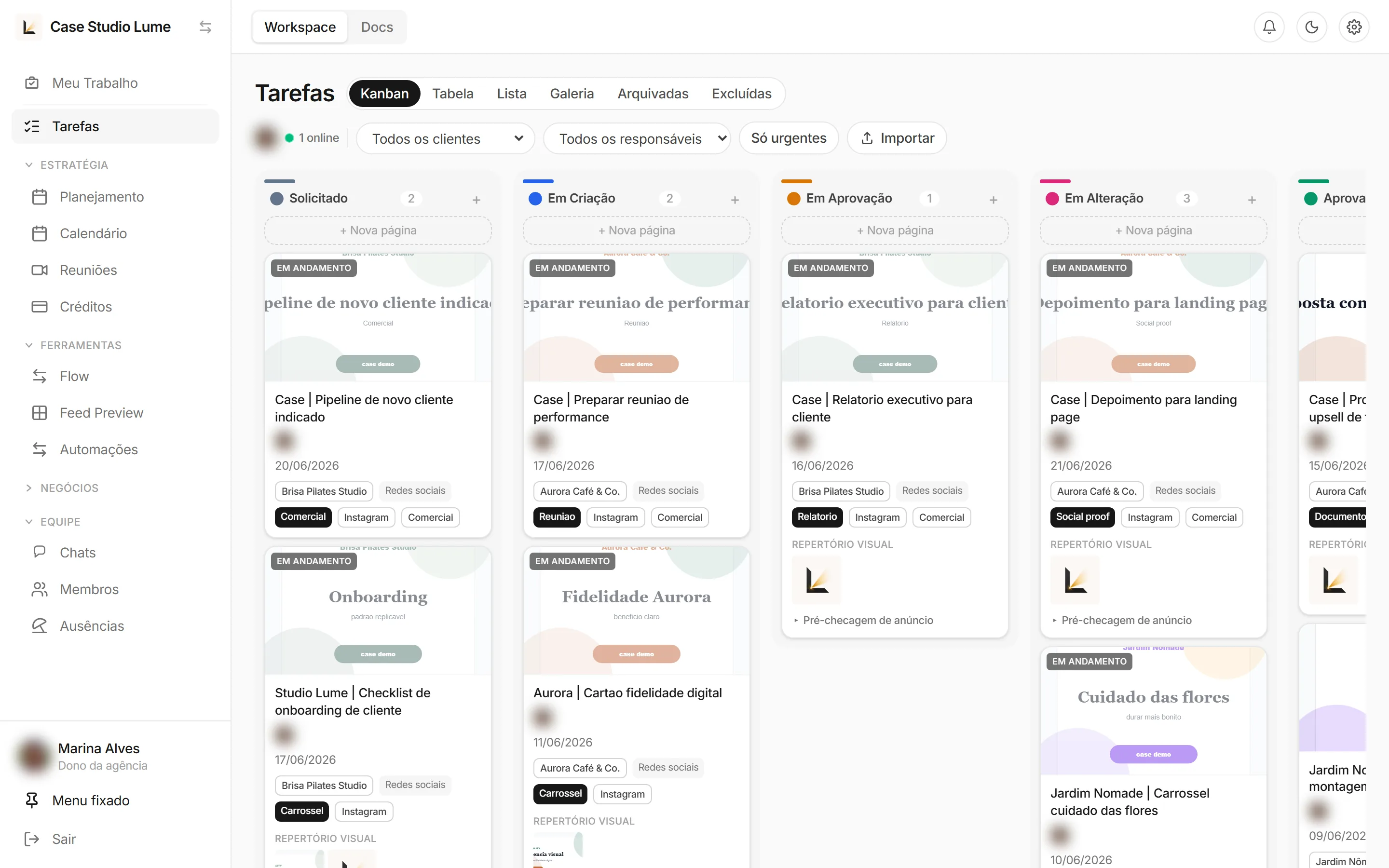
Kanban by client, built the way designers think
Each card carries the briefing, artwork, checklist, and history. Drag from "In progress" to "Approved" and see your entire studio's status at a glance.
- Columns by stage: requested, in creation, approval, revision, approved
- Per-card chat and urgency flagging
- Filter by client, assignee, and deadline
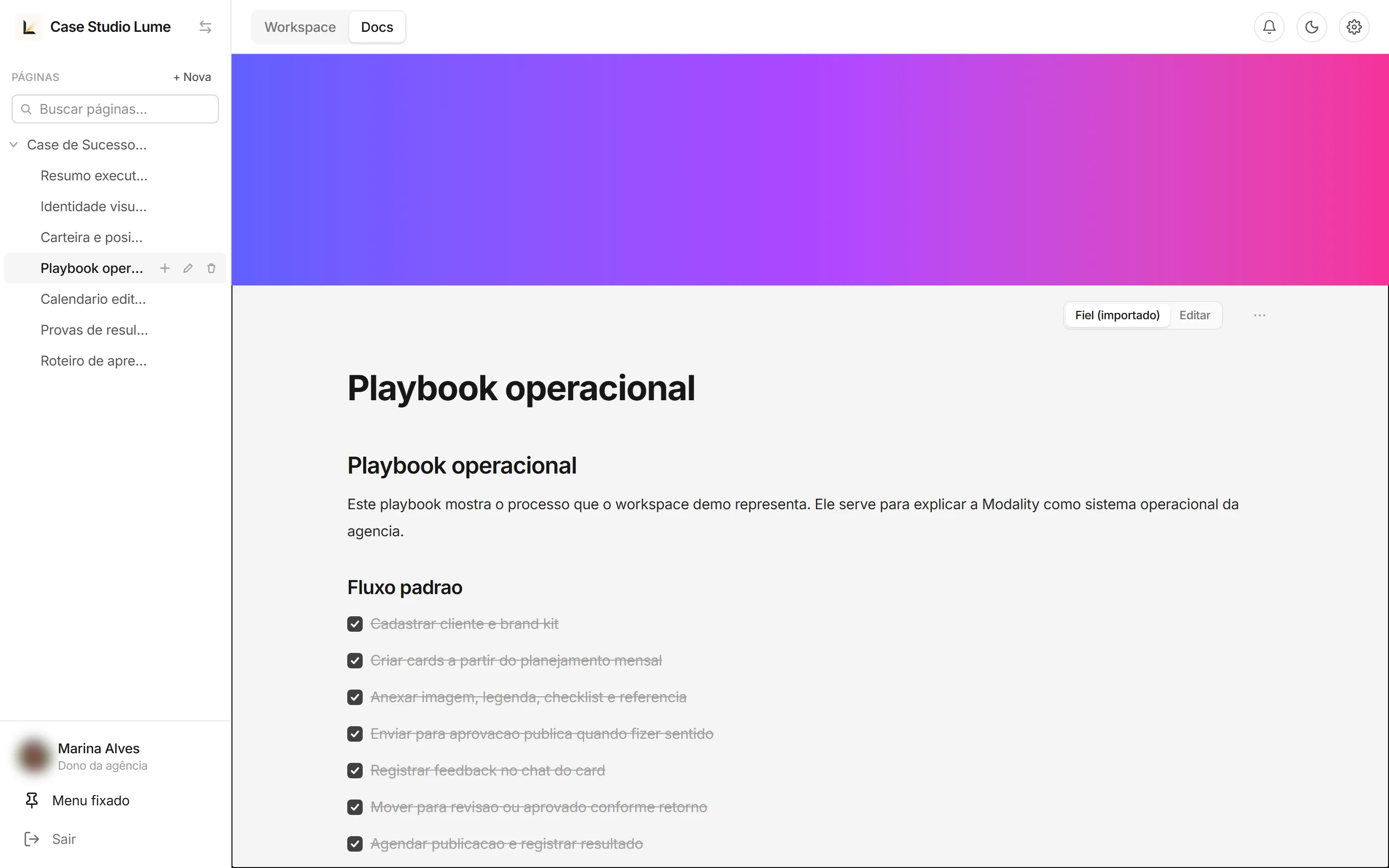
The Docs tab: block-based editor on par with the best apps
Brand kits, operational playbooks, editorial calendars, and presentation scripts. A modern block editor — text, headings, checklists, images, and cover — versioned and organized in a page tree.
- Drag-and-drop block editor with images and checklists
- Import .docx files and keep everything inside the workspace
- Same editor used in briefings and artwork revision notes
Clients approve on their own, no login required
Generate a public approval link. The client views the artwork, approves it, or leaves revision notes in a block editor — and everything flows back to the card with full history. No more WhatsApp screenshots.
- Account-free link, zero friction for clients
- Revision requests tracked per deliverable
- Designer opens directly to the pending revisions tab
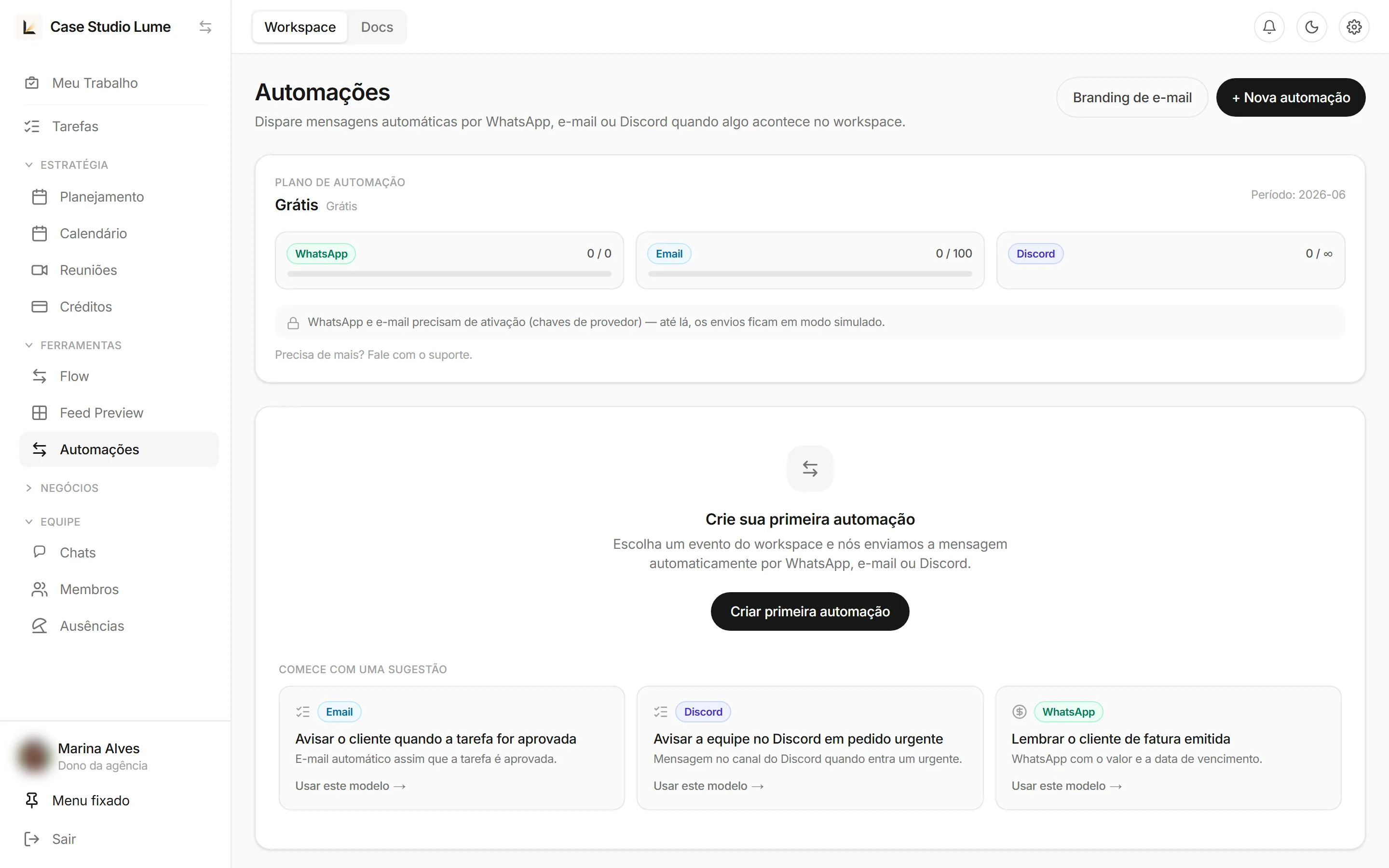
Notify everyone, without lifting a finger
Send automatic messages via WhatsApp, email, or Discord whenever something happens in the workspace. Task approved? Client notified. Urgent request? Team alerted.
 WhatsApp
Email
WhatsApp
Email
 Discord
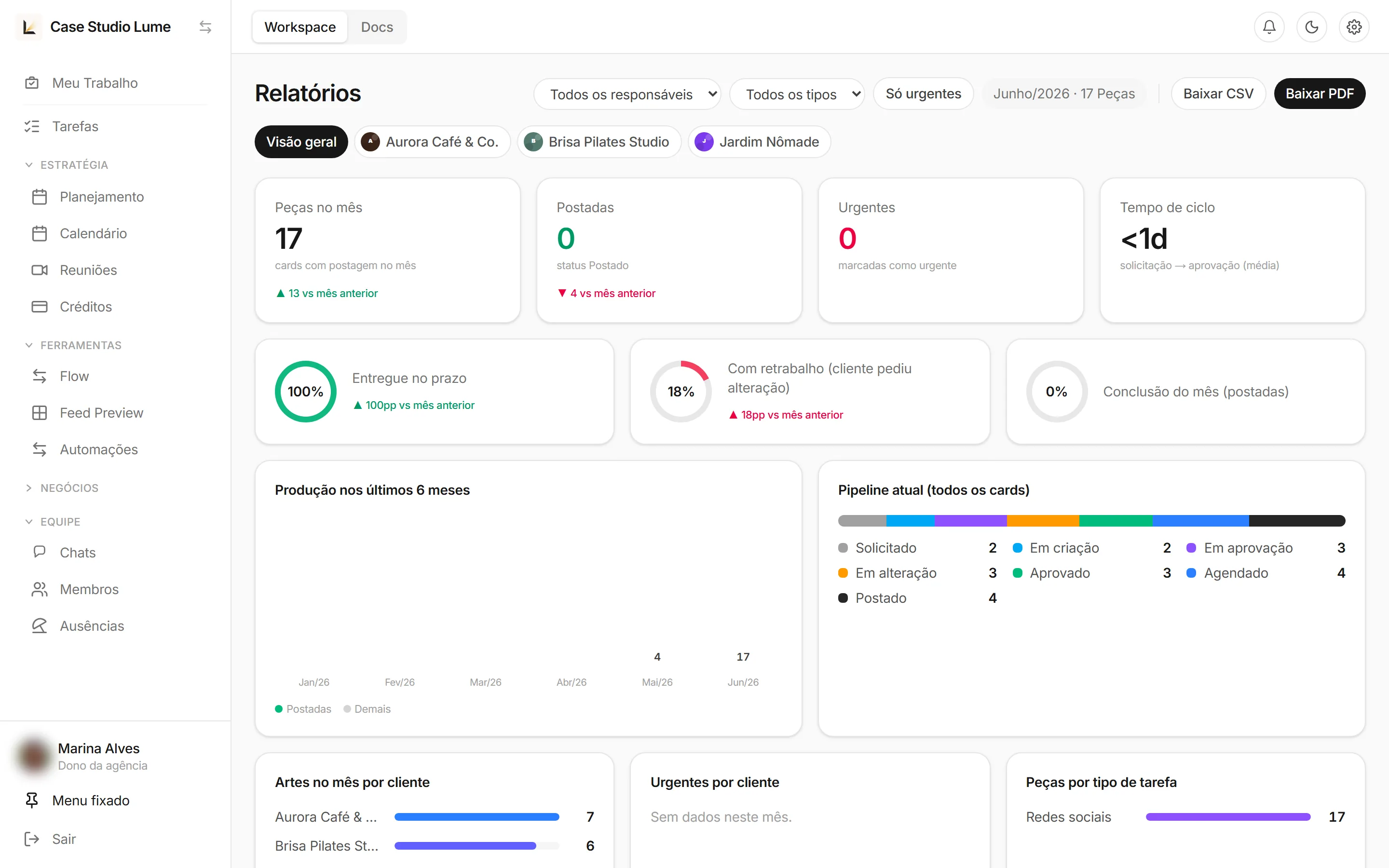
Prove your value with one click
Production dashboard + Instagram insights in the same place. Deliverables this month, on-time rate, rework, pipeline, and performance by client — exportable as PDF to send directly to clients.
- Instagram reports: reach, engagement, and growth
- Production, deadlines, and rework by client
- Export CSV and PDF with your branding
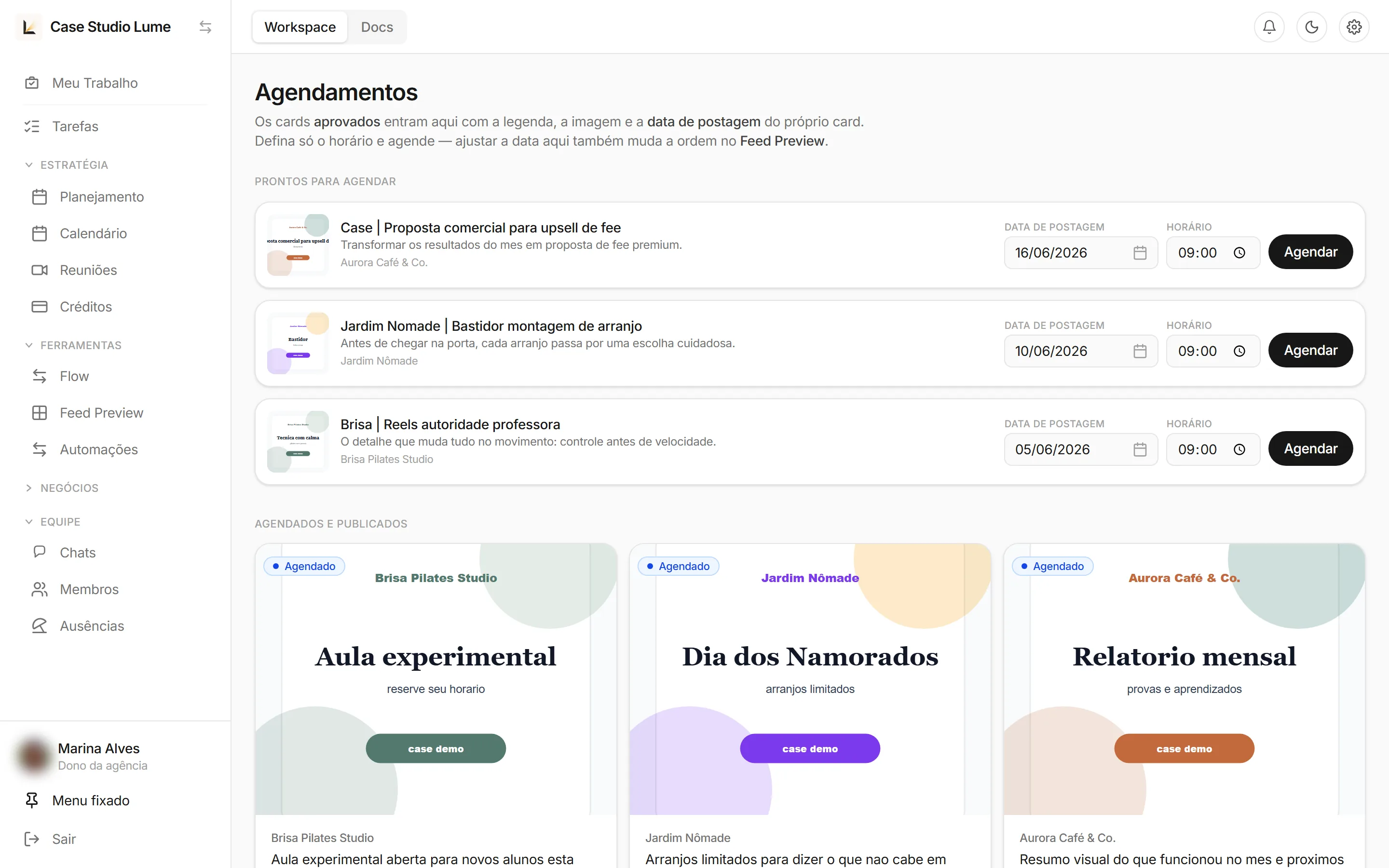
From approval to Instagram, without leaving the platform
Approved cards arrive ready to schedule — already carrying the caption, image, and publish date from the card itself. Just pick the time and Modality publishes directly to Instagram.
- "Ready to schedule" queue fed automatically by approvals
- Automatic publishing at your chosen time
- "Scheduled and published" feed per client
The AI you choose —
connected to your work.
No lock-in to a single model. Build complete content plans with AI, generate captions and scripts, and connect your designer's AI directly to the platform via MCP.
Build content plans with AI
Describe the month — "12 posts, 2 reels, warm and welcoming tone" — and AI assembles the plan, distributes tasks, and generates the approval link.
Connect your own AI
Claude, Codex, Gemini, Cursor, or any MCP-compatible assistant. Your client's AI, your client's way — no lock-in.
Your designer's AI in the workflow
Integrate the assistant your team already uses directly in the platform. It reads cards, generates content, and updates tasks for you.
ClaudeCodexGeminiCursorCopilotPerplexityMistral Windsurf
 Zed
Zed Ollama
Built for people who live and breathe design
Design studios
Centralize clients, team, and deliverables. Prove your value every month without building reports by hand.
Freelancers
Look like an agency. Professional approval links, organized docs, and AI to speed everything up.
Agencies
Scale teams and clients with isolated workspaces, permissions, and executive-level visibility.
Social media managers
Plan, approve, schedule, and measure Instagram from start to finish, all in one workflow.
Your files, your control
Data isolated per client
Each workspace is separate. Clients only see what belongs to them.
Secure approval links
Share only the right deliverable, with the right person, at the right time.
5 GB free per workspace
Storage included for files, artwork, and media. Expand anytime.
Export anytime
Your data is yours. CSV, PDF, and files always at your fingertips.
Loved by the teams who use it
Start free today
Create your workspace in minutes. No credit card, no installation — right in your browser.
Frequently asked questions
Do I need to install anything?
No. Modality runs 100% in the browser. Create your workspace and start using it immediately — no download, no setup required.
Does the client need an account to approve?
No. You generate a public approval link. The client opens it, views the deliverable, and approves or leaves revision notes — no login, no friction.
Does it work with Instagram?
Yes. Approved cards enter the scheduling queue with caption, image, and date. You set the time and Modality publishes directly to Instagram — and also pulls in reach and engagement reports.
Can I use my own AI?
Yes. Modality is MCP-compatible, so you can connect any assistant you want — Claude, Codex, Gemini, Cursor, Copilot, and more. Build plans, generate content, and automate tasks with AI your way.
Is it for freelancers or only agencies?
Both. Freelancers use it to operate like an agency; agencies use it to scale teams and clients. You grow without switching tools.
Is my data safe?
Each workspace is isolated, with storage included and export available at any time. Your files are yours — always.
Organize. Create. Deliver.
All in Modality.
The operating system for your design studio — with AI built into every step.